

About
Beautiful invitations. Easy RSVPs. No more chasing guests.
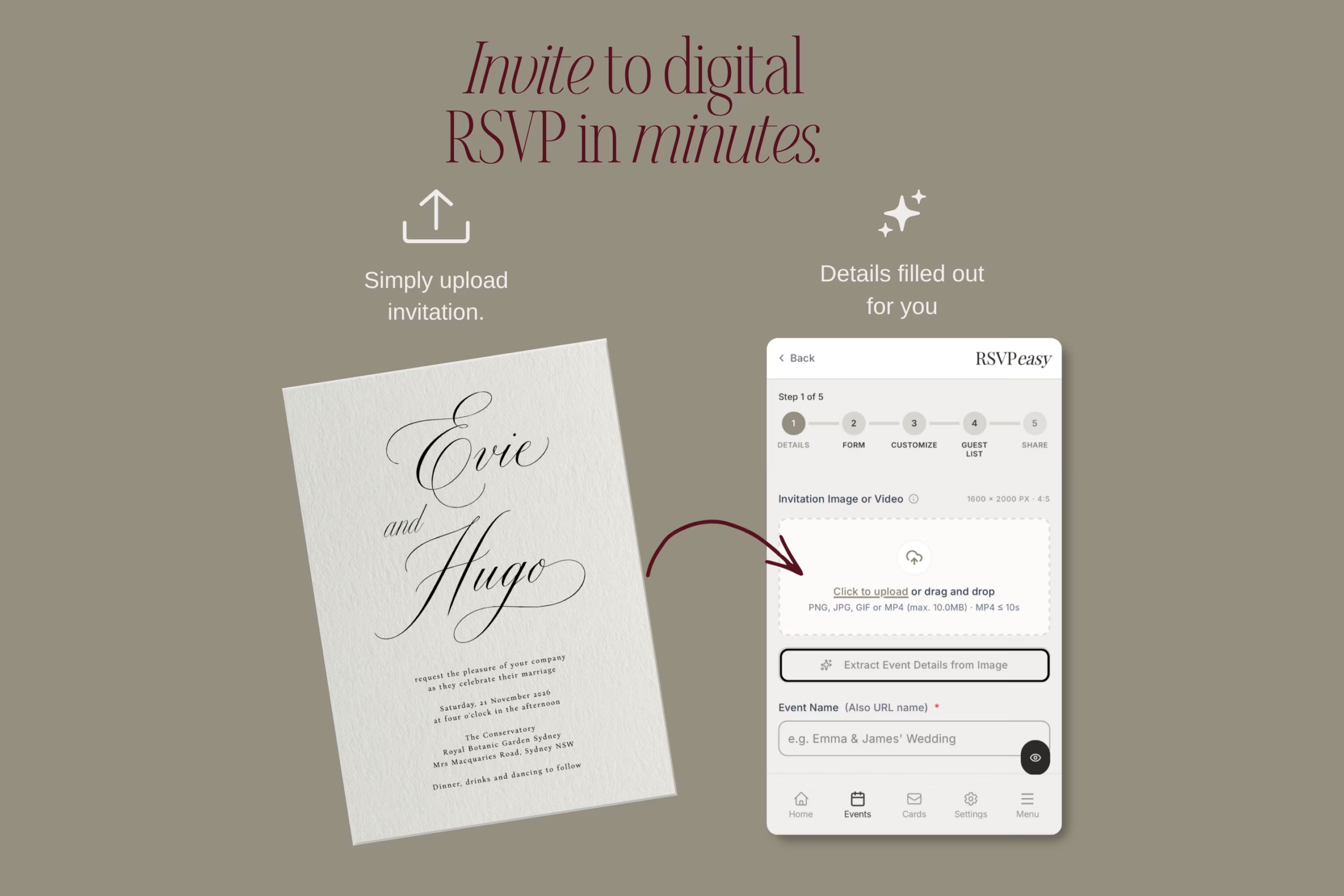
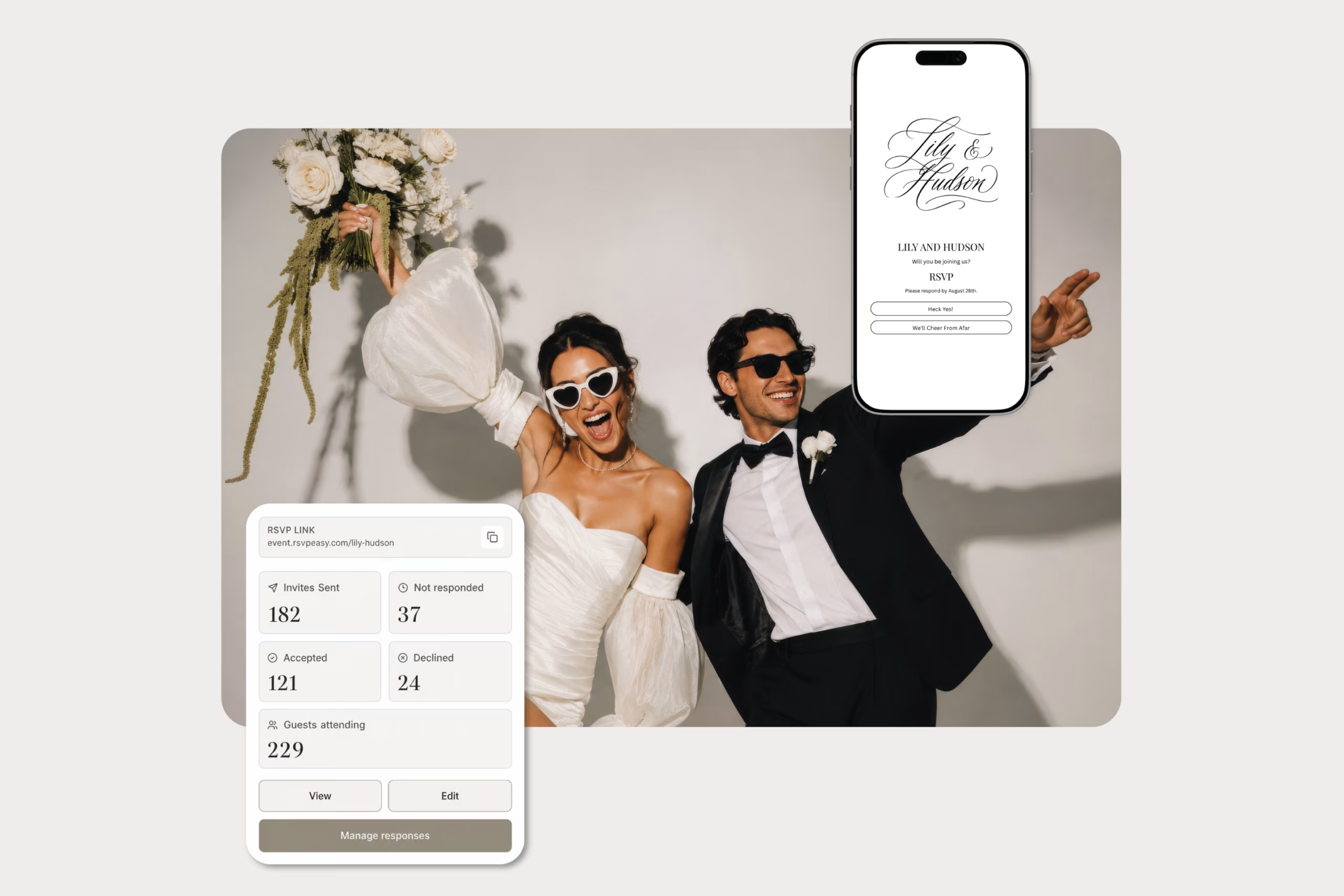
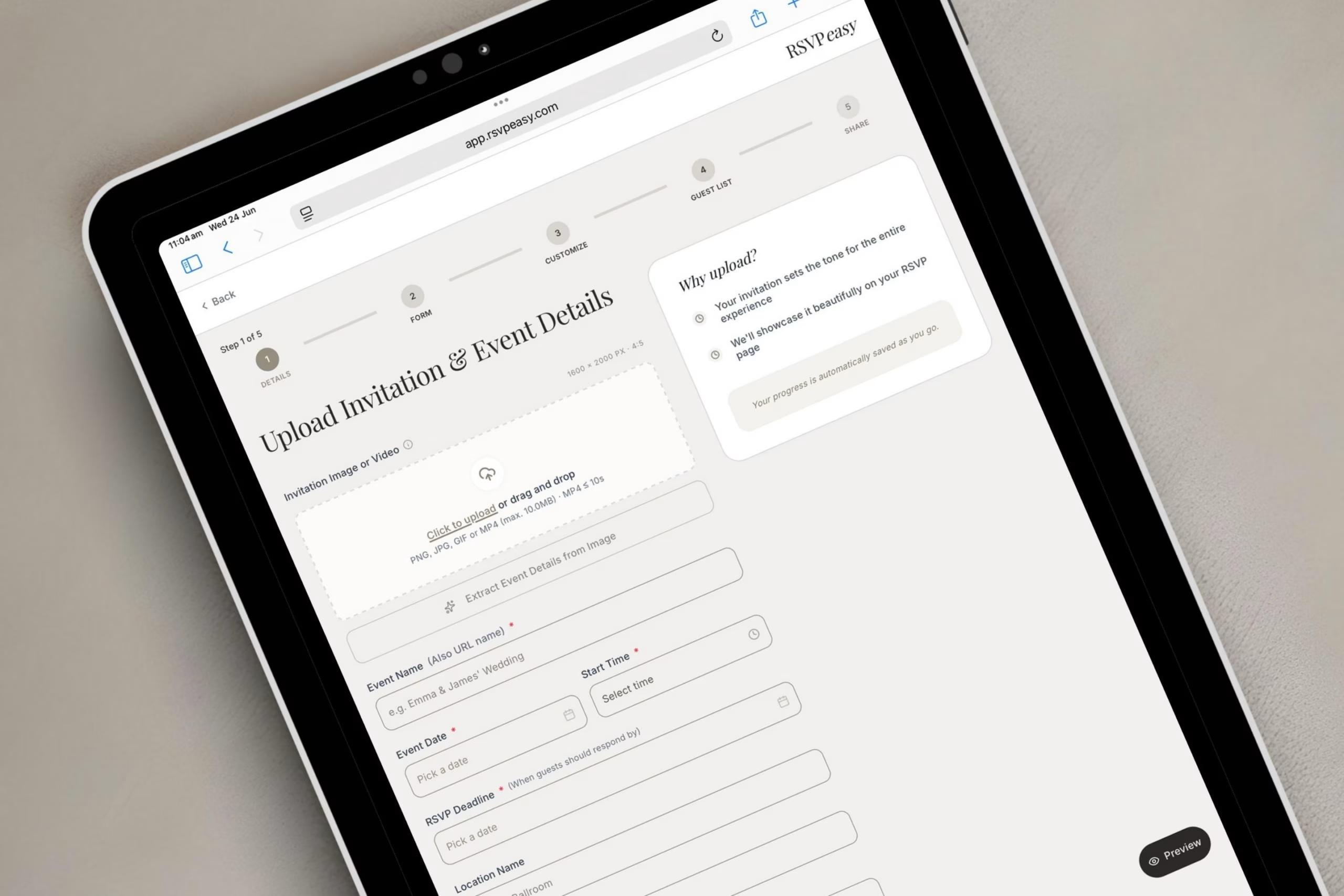
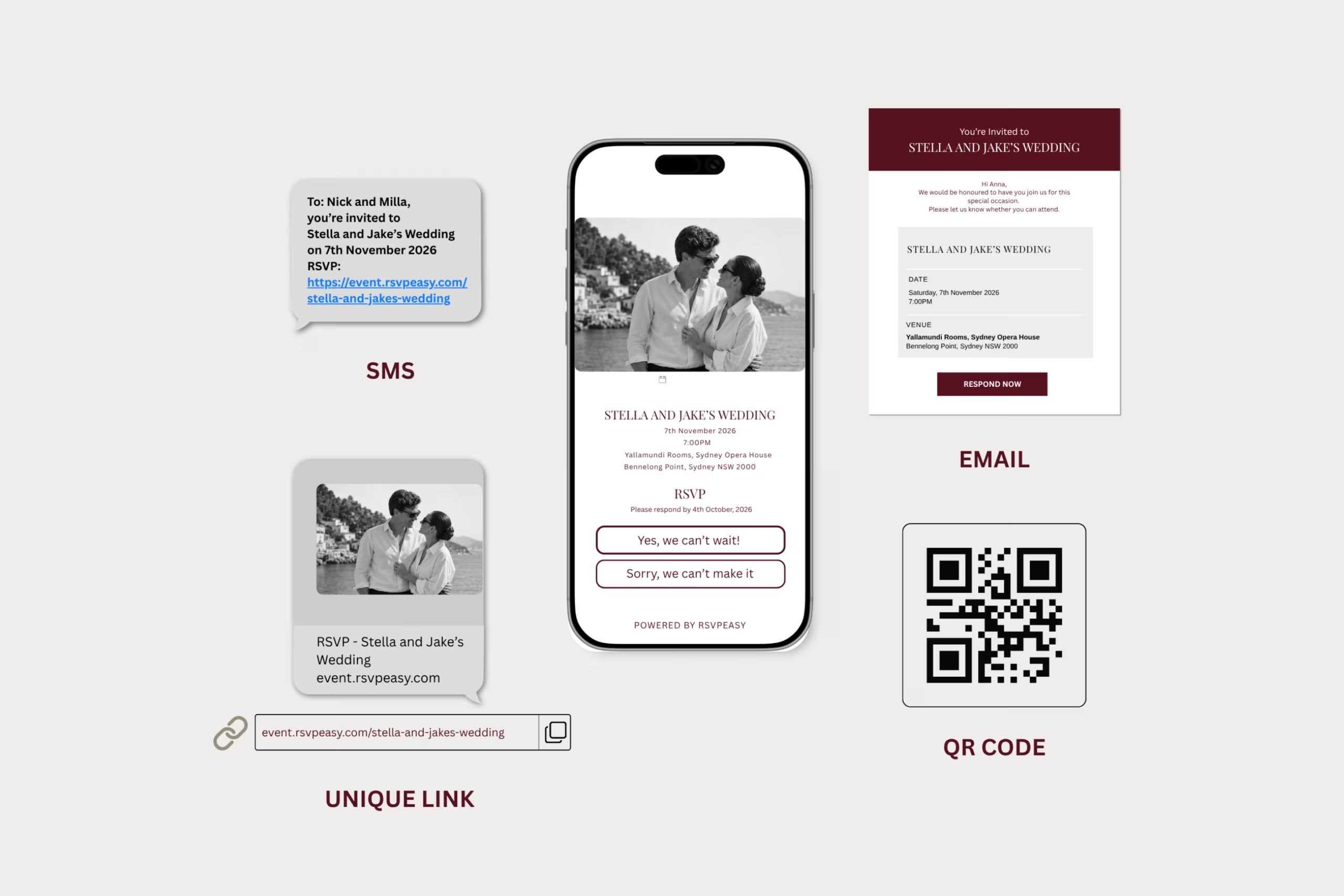
Upload your wedding invitation as an image, video or artwork and share it with your guests by SMS, email or a private link. You can also download a QR code to print on your wedding stationery.
Your guests have one convenient place to view your invitation and important event details, while you can easily collect their information and responses.
With RSVPeasy, you can:
- Collect guest names, attendance and dietary requirements
- Manage partners, plus-ones and children
- Add custom questions for your wedding
- Share accommodation, transport, parking and gift registry details
- Send automated RSVP reminders
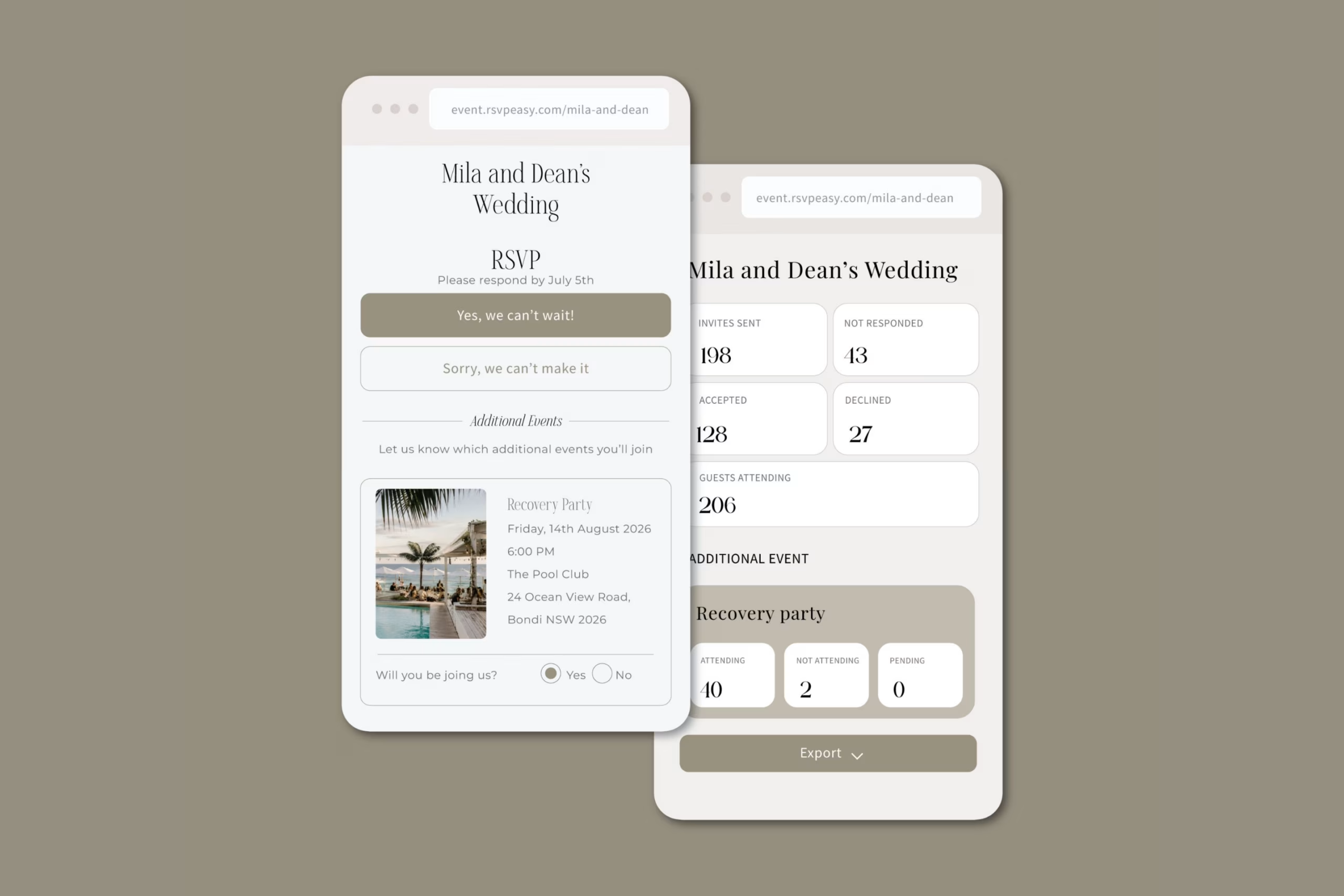
- Create additional events, including pre-wedding celebrations and recovery gatherings
- Track attending, declined and pending guests in real time
Your invitation remains the centrepiece, while RSVPeasy takes care of the guest management behind it.
Perfect for modern couples who want a beautiful, stress-free way to collect and manage their wedding RSVPs without creating a full wedding website.
Faq’s
Do I need to create a wedding website?
No. RSVPeasy works with your existing wedding invitation, so you can collect RSVPs and share important details without building a full wedding website.
Can I use my own wedding invitation design?
Yes. You can upload your completed invitation as an image, video or artwork, allowing your original design to remain the centrepiece.
How can I send my invitation to guests?
You can share your invitation by SMS, email or a private link. You can also download a QR code to print on your invitations, RSVP cards or other wedding stationery.
What happens when guests open the invitation?
Guests can view your invitation, read your wedding details and complete the RSVP form from their phone, tablet or computer.
What information can I collect from guests?
You can collect attendance, guest names, dietary requirements, partner and plus-one details, information about children and answers to your own custom questions.
Can I manage more than one wedding event?
Yes. You can create additional events such as pre-wedding celebrations, welcome drinks, the wedding ceremony, reception or recovery gathering, and invite the appropriate guests to each event.
Can RSVPeasy send RSVP reminders?
Yes. You can send automated reminders to guests who have not yet responded, helping you collect replies without repeatedly following up yourself.
Where can guests find additional information about our wedding?
You can add custom information links for details such as your dress code, parking, accommodation, transport, gift registry or wedding itinerary. Each item can direct guests to a website or include a downloadable PDF, keeping everything they need in one convenient place.
Can I customise the look and feel of my RSVP form?
Yes. If you upload an invitation, RSVPeasy instantly matches the colours of your RSVP form to complement your design. Whether you upload an invitation or not, you have full control to customise the colours and fonts to suit the look and feel of your wedding.
Where can I view and manage my guests’ replies?
All guest responses are organised in your RSVPeasy dashboard. You can easily see who is attending, declined or still pending, along with dietary requirements, plus-one details and answers to your custom questions, all in one convenient place.